An old coworker’s number popped up on my phone at 11 PM last spring. No caller ID, just a Texas area code and a voicemail that sounded vaguely familiar. Curiosity turned into that late-night itch you can’t scratch until you Google it. Google gave me nothing useful, just sponsored listings pretending to have answers. So I fell down the people-search rabbit hole, and TruthFinder kept showing up at the top.
That’s how most people stumble onto this thing, honestly. You’re not out there running professional background checks. You’re trying to figure out who keeps calling, whether the guy your sister just started dating has a record, or where your long-lost cousin ended up after moving out of state in 2011. TruthFinder leans hard into exactly that kind of use. This review walks through what actually happens when you sign up, pay, and run real searches. The good, the clunky, and the billing quirks nobody warns you about.
TruthFinder Quick Verdict
TruthFinder works well as an unlimited-search background finder for personal curiosity, but its value depends heavily on how often you actually run searches. The interface is friendly, reports are dense with public-records data, and the mobile app is legitimately decent. The catch is cost. You can’t buy a single report, add-ons stack up fast, and the auto-renew can sneak up on you.
| Field | Summary |
| Overall Rating | 3.8 / 5 |
| Best For | Personal curiosity, reconnecting with people, checking unknown numbers |
| Ease of Use | Very easy, beginner-friendly dashboard and app |
| Data Depth | Strong on criminal, address, and social records |
| Biggest Strength | Unlimited searches plus broad public-records coverage |
| Biggest Weakness | Subscription-only model with stacking add-on fees |
TruthFinder Overview
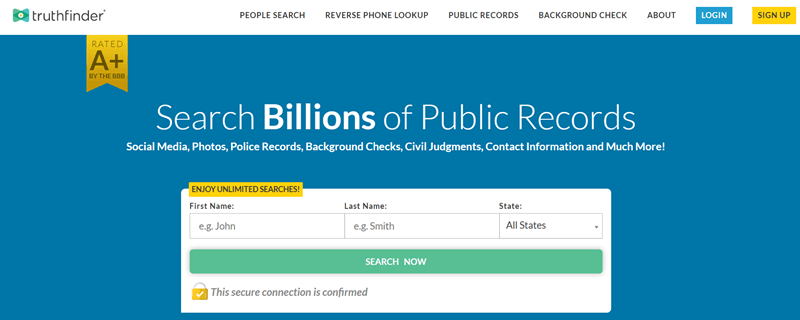
TruthFinder launched in 2015 out of San Diego, California, and sits under the People Connect family of people-search brands. The pitch is simple. Type in a name, phone number, email, or address, and it pulls together a background report built from federal, state, and local public records.
Over the years the lineup has widened beyond basic lookups. You now get Dark Web Monitoring (built in partnership with Experian), the Guardian Protection Suite for identity oversight, Report Monitoring, and an app that runs on both iOS and Android. The company cites around 9 million monthly users, which tracks with how often you see the brand advertised.
One thing worth flagging early. TruthFinder is explicit that it’s not FCRA-compliant. You can’t use it for hiring, tenant screening, or credit decisions. It’s strictly for personal use, and they repeat that disclaimer often.
TruthFinder Features
- People Search: Type a name plus a city and TruthFinder builds a Person Report with records, relatives, and social profiles. Pro tip, adding the person’s approximate age upfront dropped my matches from 20+ down to just 3.
- Reverse Phone Lookup: Drop in an unknown number, whether cell, landline, or VOIP, and see the likely owner, carrier type, and approximate location. Handy for filtering late-night spam or persistent telemarketers.
- Reverse Address Lookup: Enter an address to see current and past residents, nearby sex-offender alerts, and neighborhood data. I used it to vet a sublet listing and caught a red flag about the landlord before signing.
- Reverse Email Lookup: Paste an email and TruthFinder surfaces linked names, photos, social accounts, and sometimes a physical address. Worth a shot for dating verification or tracking contacts who changed numbers years ago.
- Dark Web Monitoring: Powered by Experian, this add-on alerts you if your SSN, passwords, credit cards, or email show up on breach dumps or hacker forums. Costs $2.99 extra per month.
- Report Monitoring: A quietly underrated feature most users overlook. TruthFinder pings you when a previously run report updates with new data, saving you from rerunning the same search every few weeks.
- Claim Your Record: A lesser-known option. Search yourself, claim your record, then correct inaccuracies or hide it from other TruthFinder members. A genuine privacy lever almost nobody talks about.
Our Testing Methodology
Our testing focused on real-world use rather than theoretical benchmarks. Here’s the process we followed:
- Account setup. Started with the entry-level People Search plan (no trial accepted) to mirror what most new users actually sign up for.
- Sample diversity. Ran 15 searches across mixed profiles: two verifiable family members, three common-name individuals in major cities, four unknown phone numbers from recent call logs, two old-contact emails, and four U.S. addresses with known history.
- Accuracy cross-check. Compared each report against known facts, public LinkedIn profiles, county court record portals, and in three cases, direct confirmation from the person themselves.
- Feature depth audit. Opened every section of a full Person Report (contact info, criminal records, social profiles, relatives, assets, court records) and flagged anything missing, outdated, or misattributed.
- Billing behavior test. I tracked the signup flow, noted every upsell popup, and let the subscription renew once to see the real charge, including add-on billing.
- App vs. desktop parity. Ran identical searches on the iOS app and the web dashboard to compare speed, layout, and data completeness.
Hands-On Experience
First impression was that signup is slick, almost too slick. The moment I entered a test name, TruthFinder kicked off a flashy animation pretending to scan “billions of records” before hitting me with a paywall. Classic dark-pattern stuff, but once I was in, things calmed down.
The dashboard itself is genuinely easy. Search bar up top, tabs for different lookup types, and a clean results page. Running searches felt fast. Reports loaded in 20 to 45 seconds depending on how common the name was, and I didn’t have to hunt for any setting.
What caught me off guard was the pre-report questionnaire. Before generating a report, TruthFinder asks a few filtering questions around possible relatives, age range, and cities. Actually useful once you understand what it’s doing, but the first time I hit it I thought the report was broken. Minor UX stumble.
The mobile app felt noticeably faster than desktop, and the ad-free experience (a perk they mention) was real. Overall, the frustrations came mostly at the wallet, not the interface.
TruthFinder Results & Data Quality
Data quality was the most surprising part, and not always in a good way. On family members I could verify, TruthFinder nailed the basics. Current address, phone number, employment history, and social profiles were all accurate. For one cousin, it even surfaced a traffic citation from 2015 that he confirmed was real.
But accuracy thinned out fast on harder cases. A common-name search in Houston returned 43 possible profiles, some clearly outdated by five-plus years. One report listed a deceased relative as still living at an address he hadn’t owned since 2017. Another merged two people with the same name into a single profile, which is maddening if you’re trying to verify someone.
Social profile matches are a mixed bag. It picks up LinkedIn and Facebook reliably but sometimes flags generic profiles that clearly aren’t the subject. The criminal records section is strong in states with digitized court systems and noticeably thin where records aren’t published online. Net takeaway, great for starting points, unreliable as a final source of truth.
TruthFinder Pricing & Paywall Reality
Cost is where most people get burned. TruthFinder doesn’t sell single reports, you must subscribe, and every plan auto-renews until canceled. Extras stack fast. Popups during checkout push 5-day trials and bundled offers that feel urgent, and there’s no standard free trial. If you only need one lookup, this model punishes you hard.
| Plan | Price | Features |
| Reverse Phone Lookup | $4.99 / month | Unlimited phone number searches |
| People Search (monthly) | ~$28.33 / month | Unlimited full background reports |
| Reverse Email Lookup | $29.73 / month | Unlimited email-based searches |
| PDF Report Downloads (add-on) | $3.99 / month | Offline report viewing |
TruthFinder Speed & Usability
On speed, TruthFinder is generally snappy. Searches return in 20 to 45 seconds for most profiles, though very common names can stretch past a minute while the system works through filtering questions. The mobile app loads faster than the browser dashboard in my testing, probably because fewer modals and popups load up front.
Navigation is genuinely beginner-friendly. Tabs labeled in plain English, no jargon, and a sample report linked right from the help section. Minor gripe, too many confirmation steps before starting a report, and the system occasionally surfaces upsells mid-session. Nothing broken, just a little noisy.
TruthFinder Data Sources & Reliability
TruthFinder aggregates from federal, state, and local public records. Court documents, property records, criminal databases, social media profiles, and phone carrier data all feed in. The company cites 350+ million records and claims to pull from billions of data points overall.
Reliability depends heavily on which state you’re searching in. States with fully digitized court systems (Florida, California, Texas) return rich, layered reports. States that keep court records on paper or behind paywalls return thin results. TruthFinder doesn’t disclose its exact data vendors, which is a minor transparency issue. You don’t always know why a record is missing.
The Dark Web feed comes via Experian, which is easily the most trustworthy component in the entire stack.
Privacy & Ethical Use
TruthFinder uses 256-bit encryption and Cloudflare SSL, and it explicitly states that the person being searched isn’t notified. Your searches stay private. That’s the technical side.
The ethical side matters more. TruthFinder is upfront that it’s not FCRA-compliant. You cannot use it for hiring, tenant screening, credit, or insurance decisions. Doing so can land you in legal trouble, not just a TOS violation. It’s built for personal curiosity, safety, and reconnecting with people. Anything beyond that needs a proper background check provider. If you want your own record hidden, the Claim Your Record feature is the right path.
TruthFinder Pros & Cons
| Pros | Cons |
| Unlimited searches on every subscription tier | No single-report purchase option |
| Genuinely easy-to-use dashboard and mobile app | Data quality varies by state and record type |
| Broad coverage across criminal, address, and social data | Add-ons stack up (PDF downloads, Dark Web alerts) |
| Report Monitoring keeps older searches fresh | Not FCRA-compliant, which limits legitimate uses |
| Claim Your Record lets you manage your own listing |
Who Should Use It
- People who vet multiple folks regularly, like online daters, marketplace buyers, or anyone juggling contacts from unknown numbers.
- Anyone reconnecting with old friends or family, especially long-lost relatives, adoption cases, or military buddies from decades back.
- Users who want to monitor their own digital footprint. Claim Your Record plus Dark Web Monitoring make a reasonable DIY privacy setup.
- Frequent spam-call recipients. The $4.99 phone lookup plan pays for itself if you’re screening numbers weekly.
- Subscription-comfortable users. Auto-renew and upsells are baked in, so it’s not for someone who hates recurring bills.
Final Verdict
TruthFinder is a solid people-search option if you understand what you’re buying. It’s built for volume, with unlimited searches, broad public-records coverage, and a friendly interface that works equally well on desktop and mobile. For anyone running regular lookups on phone numbers, dates, neighbors, or old friends, it earns its monthly cost. For a one-off search, it doesn’t, and the subscription-only model makes that painfully clear. Data quality is good but not flawless, especially in states with spotty digital records. The real frustration isn’t the product itself, it’s the billing choreography around it. Auto-renew, stacking add-ons, and insistent upsells give the whole experience a slightly cynical edge. Go in eyes open, set a calendar reminder to cancel, and TruthFinder earns its place.
FAQs
Is TruthFinder free to use?
No. TruthFinder is a paid subscription with plans running from $4.99 and $29.73 per month. There’s no standard free trial, though limited-time promotional trial popups occasionally appear during checkout. Single-report purchases aren’t offered.
Does TruthFinder notify the person I’m searching?
No. Searches stay private, and the person you look up is never notified. TruthFinder uses 256-bit encryption to keep activity confidential, so you can run reports without the subject ever knowing.
How accurate is TruthFinder’s data?
Accuracy is decent for common data points like addresses, phone numbers, and social profiles, but it varies by state. Court records and criminal data are stronger in states with digitized systems and noticeably weaker where records aren’t published online.
Can I cancel TruthFinder anytime?
Yes, cancellation is available online through your account dashboard at any time. However, subscriptions auto-renew by default, so you’ll need to cancel before your billing cycle ends to avoid another month’s charge.
What information does TruthFinder not show?
TruthFinder reports never include Social Security numbers, license plate numbers, divorce records, marriage records, or text messages. These exclusions are in place for legal and privacy reasons rather than data availability limitations.