A phone number can help you reconnect with a friend, verify a Snapchat account, or identify a new contact. Unsafe apps and questionable shortcuts can create privacy breaches, steal data, or lock you out of your account, so begin with Snapchat’s contact features or a reputable lookup service.
I spent more than 20 hours researching and testing 26 different methods. The seven approaches below were the useful options that remained after removing ineffective or unnecessarily risky techniques.
Key Takeaways:
Spokeo can connect a phone number with a name and linked social profiles. Snapchat’s own contact syncing is the most direct free option when the user permits phone-number discovery. A shared Snapcode provides visual confirmation, while username patterns, Google, mutual connections, professional investigators, public forums, WhatsApp, and Telegram can supply secondary clues. No method guarantees a match, and you should never post a private number publicly.
Seven Ways to Find a Snapchat User From a Phone Number
Method 1: Run a Reverse Lookup With Spokeo
Chance of success: Very High
Spokeo matches landline and mobile numbers with owner names and linked social accounts. Marketing teams use it to research influencers and brand impersonation, law-enforcement specialists use it when examining suspicious online behavior, and individuals can use it to verify a new contact or reconnect with a friend.
Some results are incomplete or outdated, so confirm the information with another reputable source before deciding that a profile belongs to the person.
How to search a number on Spokeo
- Open Spokeo and choose Phone.
- Enter the complete phone number, including its area code.
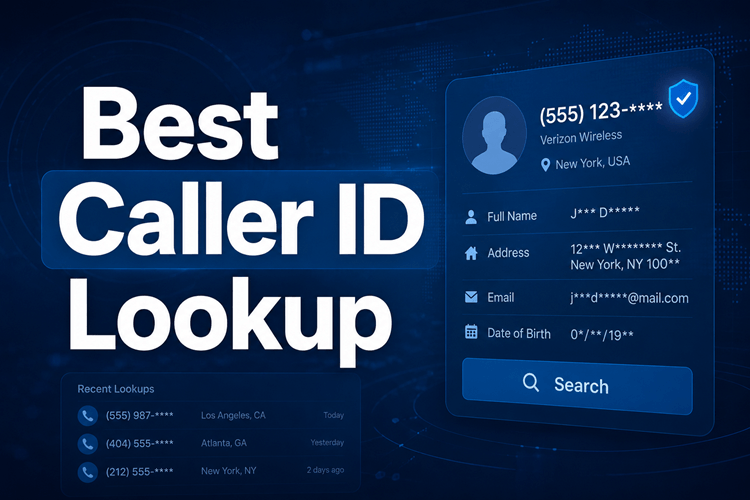
- Start the search. Spokeo can return the owner’s name, address history, possible relatives, and carrier information. Select Unlock Results to review the details.
The introductory offer is a 7-Day Trial for $0.95.
Method 2: Let Snapchat Match Your Stored Contacts
Chance of success: Very High
Snapchat can compare your phone contacts with accounts registered to those numbers. This replaces manual guessing with Snapchat’s own matching system.
- Launch Snapchat and tap the Add Friend icon in the upper-right corner.
- Enter the saved contact name or select All Contacts.
- Find the person and select Add to send a friend request.
The account will not appear if the person disabled discovery by phone number. Sync delays and technical problems can also prevent a match. Keep the stored details current, refresh the synchronization when needed, and avoid bulk searches that can produce inconsistent output.
Method 3: Enable Contact Syncing in Settings
Chance of success: Very High
If the number is already stored but no account appears, confirm that Snapchat contact synchronization is actually enabled. An outdated entry can lead to the wrong username, and synchronization may be delayed. Disable the feature again when you no longer need it.
- Open Snapchat and tap the profile icon in the upper-left corner.
- Select the Settings icon in the upper-right corner.
- Open the My Account section.
- Scroll to Contact Syncing.
- Open it and check Sync Contacts to upload the eligible contacts from your phone.
Method 4: Scan a Snapcode the Person Shared
Chance of success: Very High
A Snapcode gives you a visual confirmation when a phone lookup is unclear. It can also help confirm the source of a social-media picture, reduce the chance of sharing AI-generated or fake content, and identify the owner when image licensing matters.
A blurry image may not scan, so improve the source quality first. Snapcodes must also be shared directly; this is not a phone-number-only search.
- Open Snapchat, go to your profile, and choose Add Friends in the upper-right corner.
- Select the option to scan a Snapcode rather than add the person directly.
- Choose the saved Snapcode from your camera roll.
- After Snapchat displays the profile, select Add Friend if it is the correct person.
Method 5: Test a Likely Username Pattern
Chance of success: Low
Some people build a username from their name and part of a phone number. For 555-123-4567, possible patterns include user1234567, name123, and name456. You can also enter the number itself in Snapchat in case all or part of it appears in the handle.
This is guesswork and can easily identify the wrong account. Use a lookup or contact match for stronger evidence.
Method 6: Search the Number on Google
Chance of success: Low
A web search may expose a public Snapchat handle associated with the number. For 555-123-4567, test these exact query patterns:
- “555-123-4567” site:snapchat.com
- “5551234567 snapchat”
- “555-123-4567” username
Snapchat limits number-based visibility, so this method has low effectiveness. Searching a private number on a public search engine can also expose it. Use a secondary number or a more privacy-preserving method when possible.
Method 7: Follow Secondary Clues
Chance of success: Moderate
- Ask a mutual connection: A friend or relative may already know the person’s Snapchat username.
- Hire a licensed investigator: A professional can use lawful databases and tracing methods in a sensitive, high-priority case, although this costs more than the other options.
- Ask a public forum carefully: Reddit or Quora users may recognize a handle from non-private context. Never post the phone number or other private details.
- Cross-reference WhatsApp or Telegram: Save the number and review the public name, biography, or profile picture, then use those clues in Snapchat’s search.
Why the Phone Number May Return No Snapchat Account
First confirm that contact synchronization is active and that the person actually registered Snapchat with that number. They may have disabled phone discovery, blocked you, or linked the account to a different number. A name search or a previous chat can provide another route if you were connected before, but no approach has a 100% success rate.
Using Phone Contacts for Snapchat Advertising
Business users can upload phone contacts to Snapchat Ads Manager through Contact Integration. When accounts match, advertisers can retarget them as Custom Audiences. Snapchat tools such as Promote and Lookalike Audiences can then expand the campaign using behavioral and demographic signals. Promote boosts organic content to reach matched or similar users.
Common Search Problems and Their Fixes
- Assuming every number has Snapchat: Confirm that the owner linked this particular number; many users do not.
- Contact permission is disabled: Grant Snapchat contact access in the app or device settings.
- The entry is old or misspelled: Recheck the digits, country code, and saved format.
- No immediate result after syncing: Refresh the app, wait briefly, or synchronize again.
- The app or cache is outdated: Update Snapchat, clear its cache, and restart the app.
Frequently Asked Questions
Does deleting a phone contact remove it from Snapchat’s synced list?
Not necessarily. Snapchat may retain previously synchronized information until you disable contact syncing and manually clear the uploaded data.
Why does Snapchat say No contacts found after I sync?
The cause may be missing permissions, outdated contact entries, or numbers that are not linked to Snapchat. Update the contacts, grant the required access, and confirm that syncing is enabled.
Why is the person still missing after contact synchronization?
They may use a different number, block discovery through privacy settings, or have no Snapchat account. A sync delay or temporary app bug can also hide the match, so refresh and synchronize again.
Can I tell who found me through my phone number on Snapchat?
Snapchat does not notify you directly. If a person added you without receiving your username, they may have found the account through synchronized contacts or a mutual connection.
Final Verdict
Snapchat contact matching is the most direct option when the account permits phone discovery. A shared Snapcode can confirm identity, and Spokeo offers a useful route from the number to an owner name and social profiles. Respect privacy settings, verify the match, and avoid exposing the number while searching.